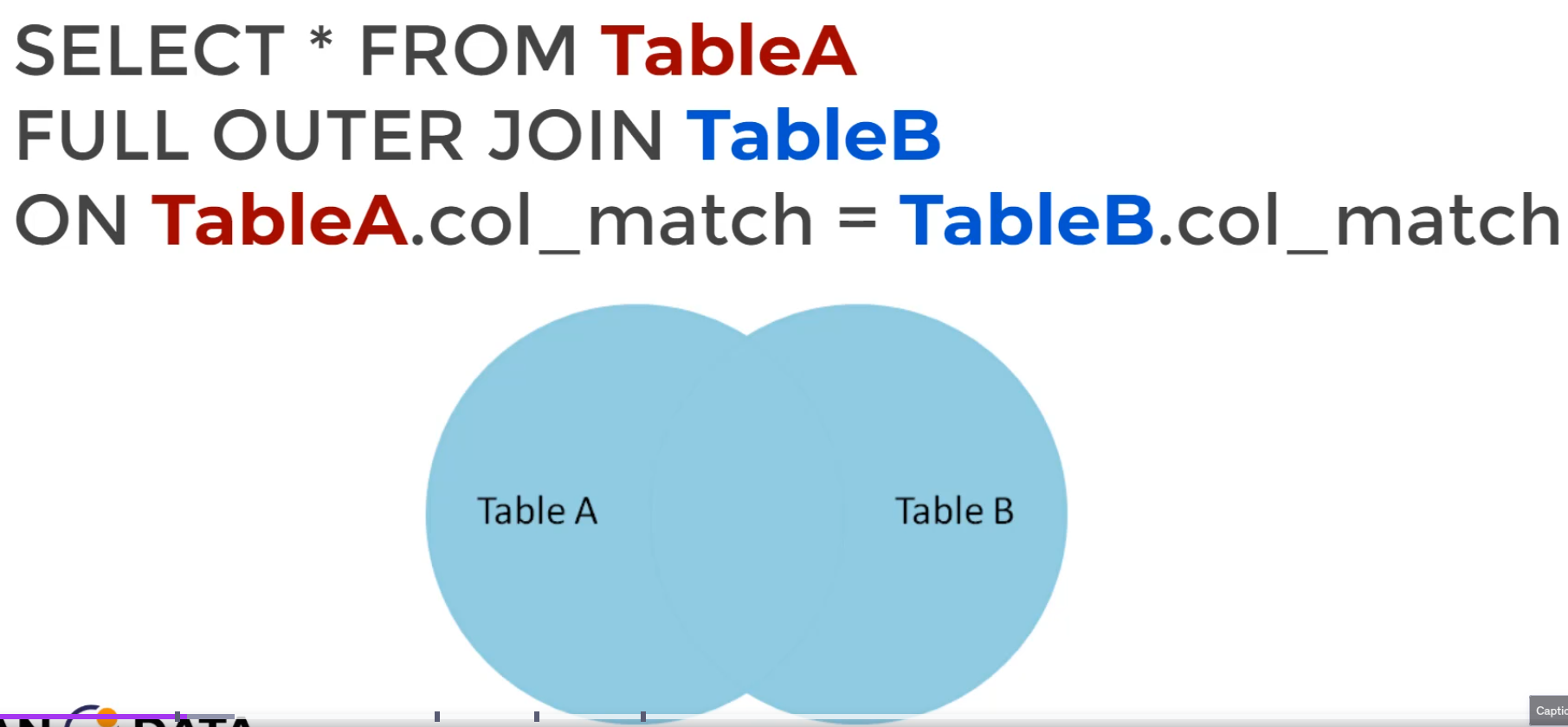
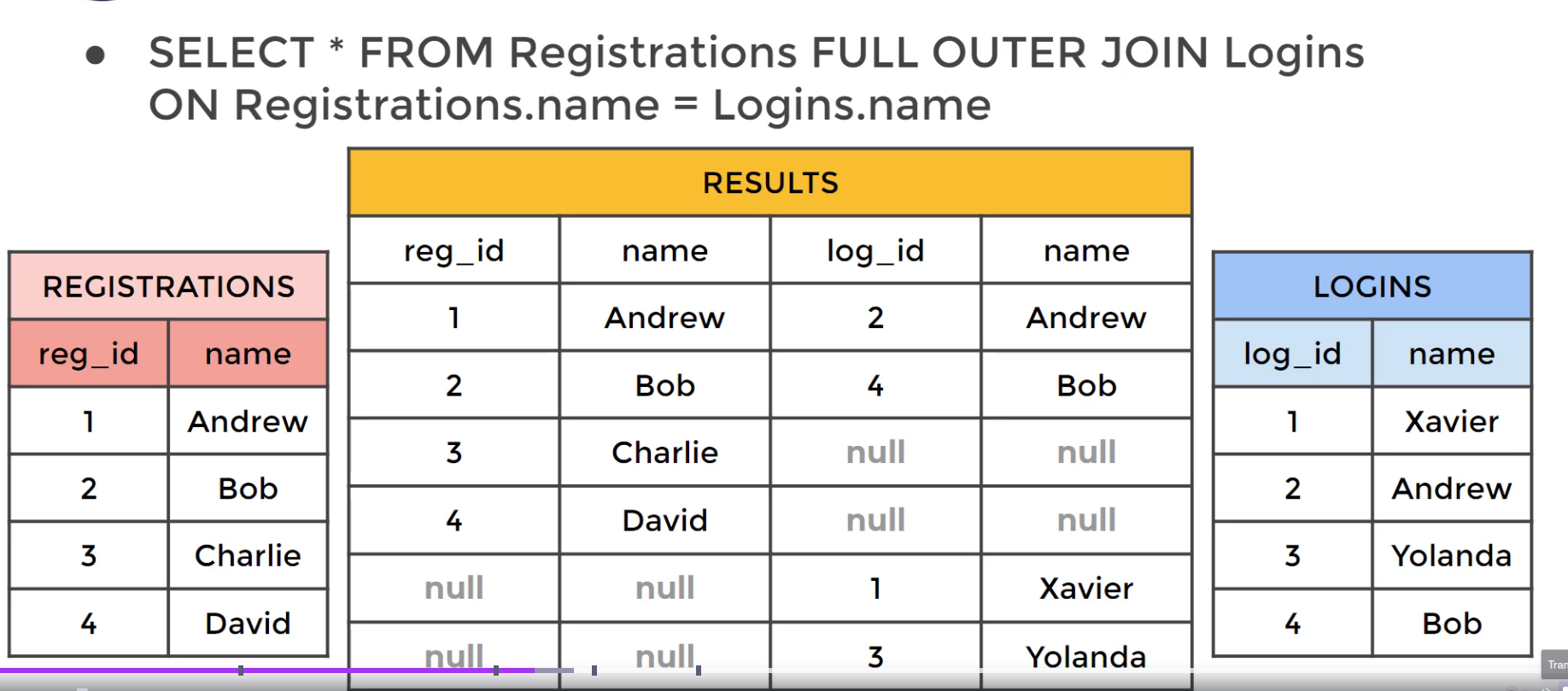
In general, outer joins allow us to specify how to deal with values that are present only in one of the tables being joined.
SELECT * FROM TableAFULL OUTER JOIN TableBON TableA.col_match = TableB.col_match
A FULL OUTER JOIN returns all records from both tables, matching them where possible. If there is no match, NULL values will be returned for columns from the missing side. This join is useful when you need a complete view of both tables, including unmatched rows from each.
Note
We can use FULL OUTER JOIN along with WHERE clauses to get rows unique to either table - that is, rows not found in both tables (which functions as the opposite of an inner join):
SELECT * FROM TableA
FULL OUTER JOIN TableB
ON TableA.col_match = TableB.col_match
WHERE TableA.id IS null OR
TableB.id IS null
Example
Given two tables:
Customers
id
name
city
1
Alice
New York
2
Bob
Chicago
3
Charlie
San Diego
4
David
Miami
Orders
id
customer_id
product
1
1
Laptop
2
1
Keyboard
3
3
Monitor
4
5
Mouse
Executing a FULL OUTER JOIN:
SELECT Customers.name, Orders.productFROM Customers FULL OUTER JOIN Orders ON Customers.id = Orders.customer_id;
Result:
name
product
Alice
Laptop
Alice
Keyboard
Charlie
Monitor
Bob
NULL
David
NULL
NULL
Mouse
Explanation:
Alice and Charlie had matching orders, so they appear with their respective products.
Bob and David had no orders, so their product column is NULL.
The order for customer ID 5 has no matching customer, so NULL appears in the name column.