I went to India to visit my mom, and as anybody does these days, I asked for the WiFi password shortly after arriving.
My mom told me to join “ACTFIBERNET_5G” (instead of the default 2.4 Ghz “ACTFIBERNET”) with a password installed by the ISP techs of “act12345”. It worked, but I was immediately concerned about the security of such an SSID/password combination. I had been travelling for almost 24 hours at this point, so instead of dealing with it I just went to sleep.
SSID was called ACTFIBERNET_5G, along with a 2.4Ghz network called ACTFIBERNET.
The ISP had set the SSID password to “act12345”, which is obviouslt a terrible default.
Next morning I decided to change her password. The ISP provides an app and very contrived instructions for this. But because the router is a TP-Link router, I figured I could just go to 192.168.0.1.
On the ISP’s site it said the user/password as “admin/admin”. However the router only asked for a password (no username field), and “admin” did not work. I found a default password in a label on the router itself, set to “act@123”, which, again, not particularly safe.
I then renamed the SSID from the default one to F08, added a more secure SSID password, and changed the admin password for the router.
This is when shit got weird.
My computer, as well as my mom’s, remained connected to ACTFIBERNET_5G. Remember that at this point I already changed the SSID: and sure enough, I could also connect to the new SSID.
At first I thought that maybe it was some weird remnant and that the router simply needed a reboot. So I rebooted the router.
But both SSIDs were still there.
I then connected to ACTFIBERNET_5G again, and my new password stopped working. I used the default again, “act@123” and was at the admin panel again. I noticed that the SSIDs were back to defaults - so I figured maybe rebooting the router wiped the settings? Poor sense, but not impossible.
Then I thought that, maybe, juuuuust maybe, this is actually a different network. The lower SSID strenght was the main suggestion.
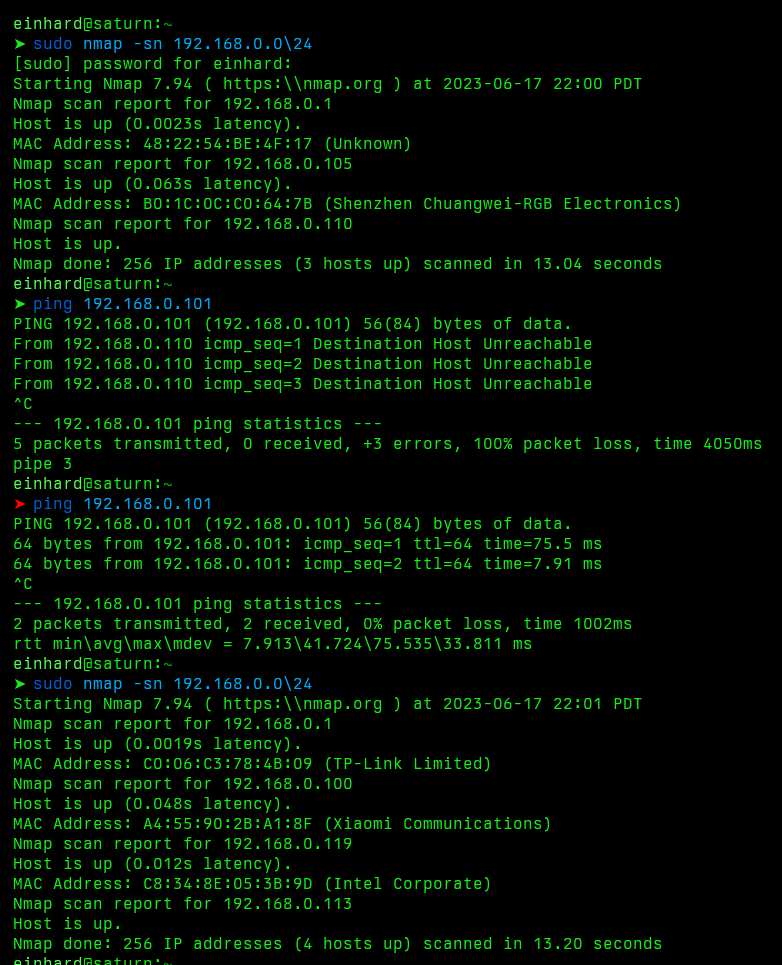
So I connected one laptop to my SSID and another laptop to the default SSID and tried to ping them. They couldn’t reach each other.
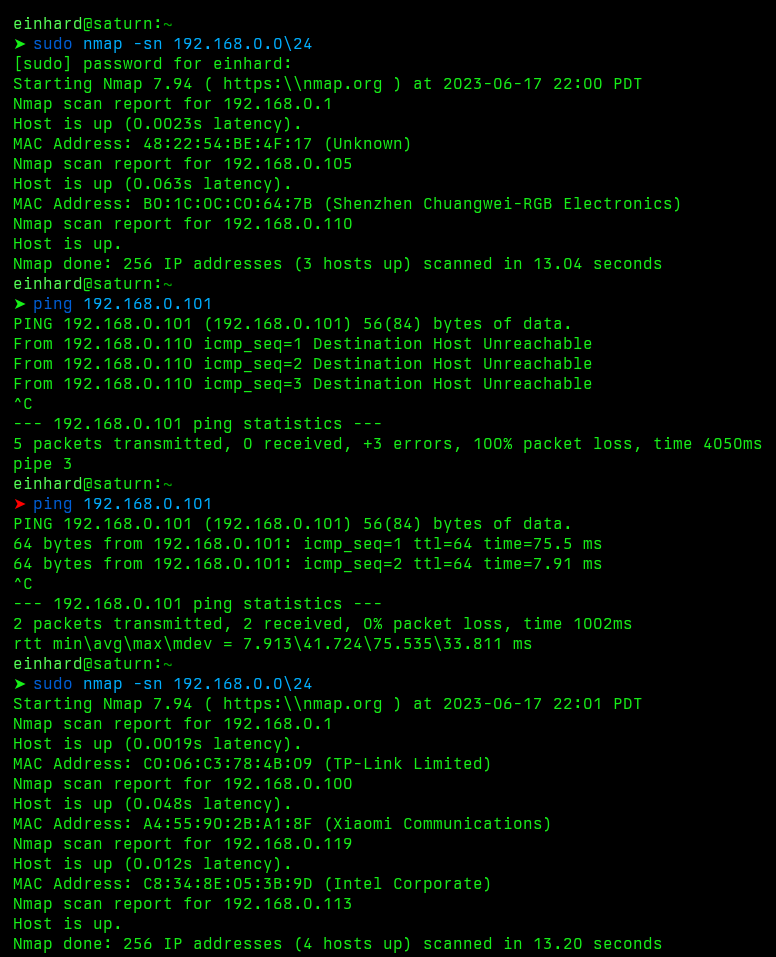
I decided to do a quick network map using nmap -sn 192.168.0.0/24 on each network. My SSID returned 4 devices (two laptops, 2 cellphones) and the router itself. The other SSID returned 2 devices - a TP-Link devices with a different MAC address and a “Shenzhen Chuangwei-RGB Electronics” device.
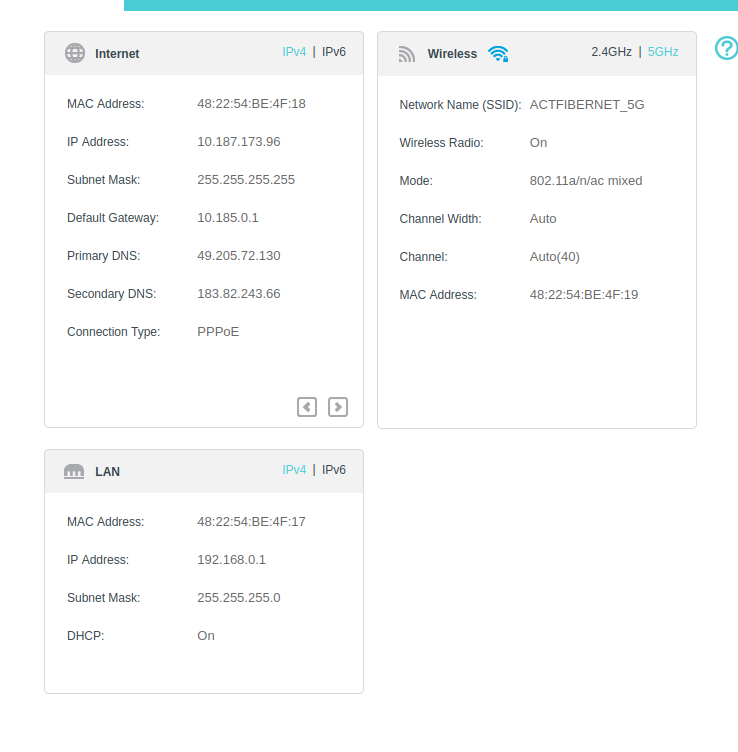
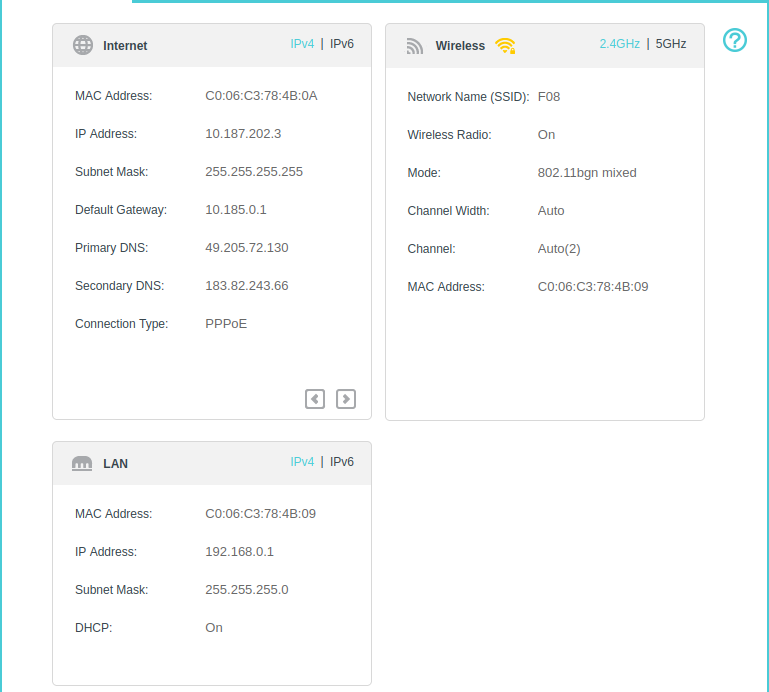
I also opened both admin panels. I could access the same TP-Link admin page on 192.168.0.1, but each one had different values.
I realized that ACT Internet used the same default password and SSID for every router installation. I verified this by turning the power off to my mom’s router and noting that the ACTFIBERNET SSID was still up, with full access to the network and admin panel.